Specification resource

Optical density and blocking review for filter RFQs

OD and blocking fields describe how unwanted light should be reduced, but the blocked wavelength range and signal path are just as important as the number.

Optical filter request guide

Optical Density Blocking for optical filter RFQs

Prepare Optical Density Blocking fields for optical filter review with wavelength, bandwidth, blocking, geometry, product-family path, and RFQ checklist guidance.

What does Optical density and blocking describe in an optical filter request?

Optical density and blocking in the request package

Optical density and blocking belongs in the first technical description because it shapes how an optical filter request is reviewed. Use the field to describe the intended spectral position, width, blocking need, geometry, or transmission context before asking for a drawing review or quotation.

Add the field to the technical RFQ package before sending drawings or spectra.

Why should this field be prepared before contacting Lumalyx?

Why the field matters before review

A clear value helps separate a general component search from a request that can be checked against filter family, wavelength band, coating context, substrate, and size constraints. When the value is uncertain, state the acceptable range or the measurement condition instead of forcing a single number.

Prepare known values, acceptable ranges, and measurement conditions.

Which values should a buyer prepare for Optical density and blocking?

Values to prepare

Useful request notes include the target band or wavelength, bandwidth or blocking target, AOI, substrate, outside dimensions, quantity, application context, and any drawings or spectra that explain the optical path. Keep commercial timing separate from the technical fields so the first review can focus on feasibility.

List target values and attach supporting spectra when available.

Which product family should be reviewed with Optical density and blocking?

Related product family path

Review the product family that matches the optical function first: bandpass filters for passband selection, longpass or shortpass filters for edge behavior, dichroic optics for beam splitting, neutral density filters for attenuation, and coated optics when the geometry or substrate is the main constraint.

Open the relevant product family, then return to the RFQ package.

How should Optical density and blocking be written in an inquiry?

Request checklist

Write the field as a technical note rather than a sales summary. Include what is fixed, what can be adjusted, what documents are attached, and which application context matters most. This keeps the inquiry useful without asking the buyer to make unsupported performance assumptions.

Send the checklist with application context, target values, and document needs.

What documents can be requested for review?

Documents to ask about

A buyer can ask for product sheets, coating review notes, drawing review, or spectrum-related documents when those materials are needed for evaluation. The request should describe the project context and the exact document type needed so Lumalyx can route the response for technical review.

Ask for the document type needed and include the related field values.

Technical fields to prepare

Use these fields to turn the page topic into a reviewable Lumalyx request.

  • application context
  • target wavelength or band
  • blocking or OD target
  • AOI or geometry
  • substrate and size
  • quantity
  • documents or drawings

OD is a depth field

OD helps describe attenuation or blocking depth for unwanted light. It should be tied to a wavelength range.

Blocking needs a range

A request should state which wavelengths are unwanted, not only the pass band that should remain.

Context prevents confusion

Detector sensitivity, source intensity and adjacent channels can change how the blocking discussion is framed.

Request context

Use OD to describe blocking depth for a defined wavelength range.

Optical density is often used to express how strongly a filter should attenuate unwanted light. For RFQ work, the OD value becomes useful when paired with the wavelengths that need blocking and the wavelengths that should pass.

Name the blocked range before relying on an OD target.

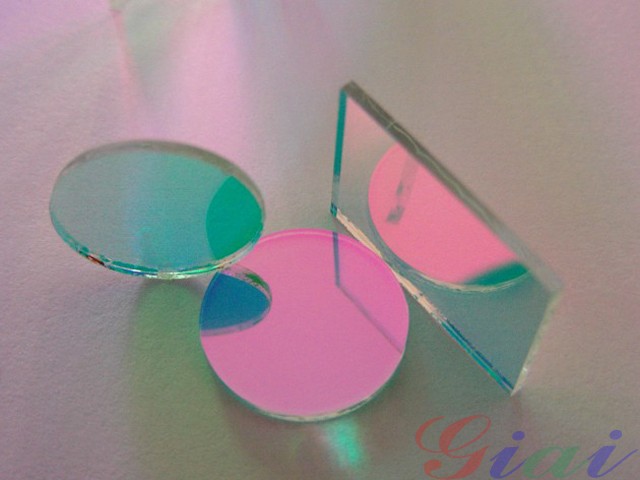
Representative coated optical filter component for specification preparation
Representative product visual for specification preparation.
Why does the blocked range matter?

Blocking is not complete unless the unwanted wavelengths are named.

Two filters may share a center wavelength or pass band but need different out-of-band blocking. A fluorescence channel, analyzer path or laser-related path can have different leakage risks depending on source spectrum and detector response.

Send the useful band, blocked range and nearby channel context together.

What should I include for OD review?

Make the OD request specific enough to review.

Prepare the pass band, the blocked wavelength range, the OD target if known, transmission target, source and detector context, AOI, substrate and size. Attach spectra when the unwanted light source is broad or uncertain.

Use the RFQ form to separate useful signal from unwanted light.

Which product families use OD discussion?

OD appears across bandpass, fluorescence, neutral density and blocking work.

Bandpass and fluorescence filters often need out-of-band blocking review. Neutral density filters use attenuation language for controlled reduction. Longpass, shortpass and notch discussions may also include blocking depth around a cutoff or rejected band.

Review the related product families or start an RFQ with the blocked range.

Fields to prepare before review

These fields make the request easier to evaluate and show which values are confirmed, approximate or still open.

  • Useful pass band
  • Blocked wavelength range
  • OD or blocking depth target
  • Transmission target
  • Light source and detector context
  • Spectra, AOI, size and substrate
RFQ preparation

Turn known and open values into one request.

Send the values you know, mark uncertain fields clearly and include spectra, drawings or existing references when they help explain the signal path.

Start technical RFQ
Specification depth

Tie OD targets to a blocked wavelength range.

Optical density language is clearer when the page separates wanted pass bands from unwanted light ranges and explains what the RFQ should name.

FieldSend whenReview note
OD targetA blocking or attenuation level is known.State the range where the target applies.
Pass bandWanted signal must remain usable.Keep pass target separate from blocked range.
Source and detectorUnwanted light depends on the instrument path.Include spectra when available.

Common misconception

An OD number without wavelength range can create an unclear request.

Regional note

Regional OD pages should focus on engineering RFQ behavior, not local availability or local fulfillment language.

RFQ prompt

Send the pass band, blocked range, OD target and detector context in one request package.

FAQ

Common specification questions.

These answers keep the request focused on reviewable engineering fields.

What is OD blocking in an optical filter request?

OD blocking is a way to describe how strongly unwanted wavelengths should be reduced. It should be paired with the wavelength range that needs blocking.

Is a higher OD number always the right request?

Not by itself. The review also needs the useful signal, blocked range, detector context, source spectrum and mechanical constraints.

What should I send for out-of-band blocking review?

Send the pass band, blocked wavelength range, target OD if known, source and detector context, AOI, substrate, size and any spectra.